
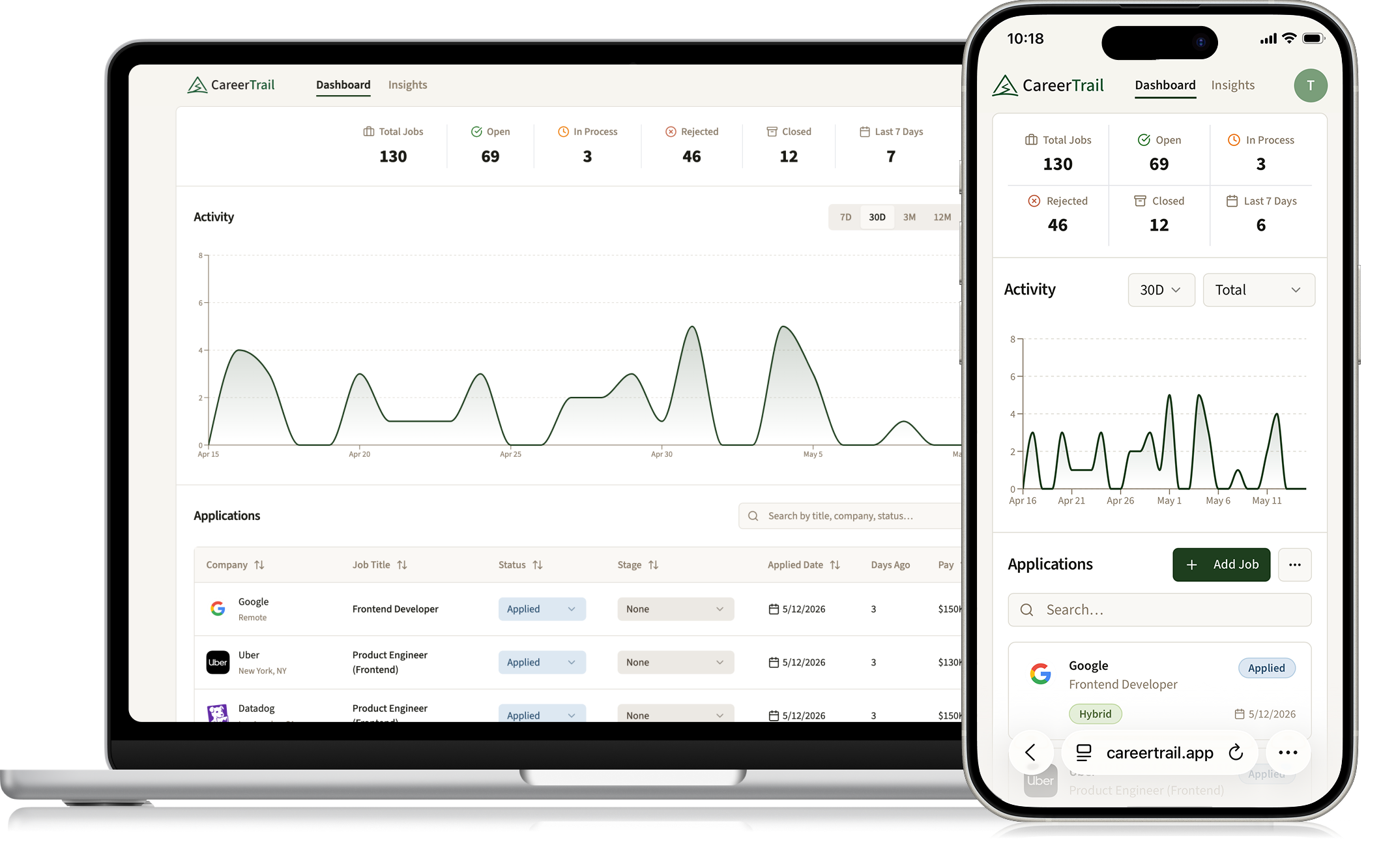
CareerTrail
Turning job search chaos into clarity
Company:
Solo product
Role:
Design, Strategy, Development
Timeline:
6 months
Overview
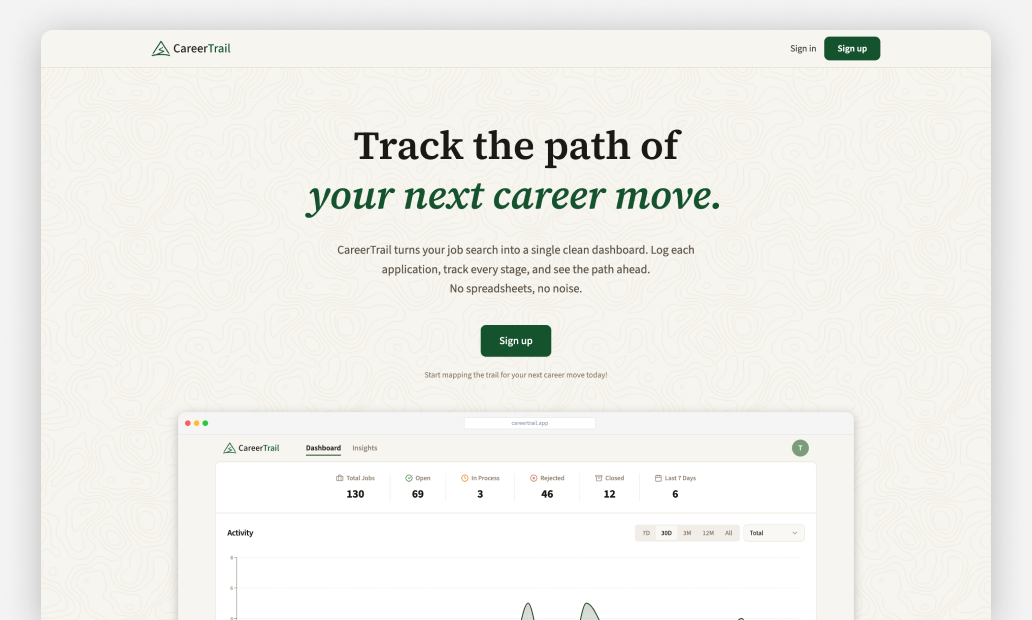
0-->1 product designed and built leveraging AI tools, that helps jobseekers manage applications and track progress with data driven insights. You can view the final product at: CareerTrail.app
Why I built this
- Experienced firsthand the challenges of managing a job search
- Opportunity to build my skills working with the latest AI design & coding tools
- Wanted to build a complete product from 0-->1
The problem
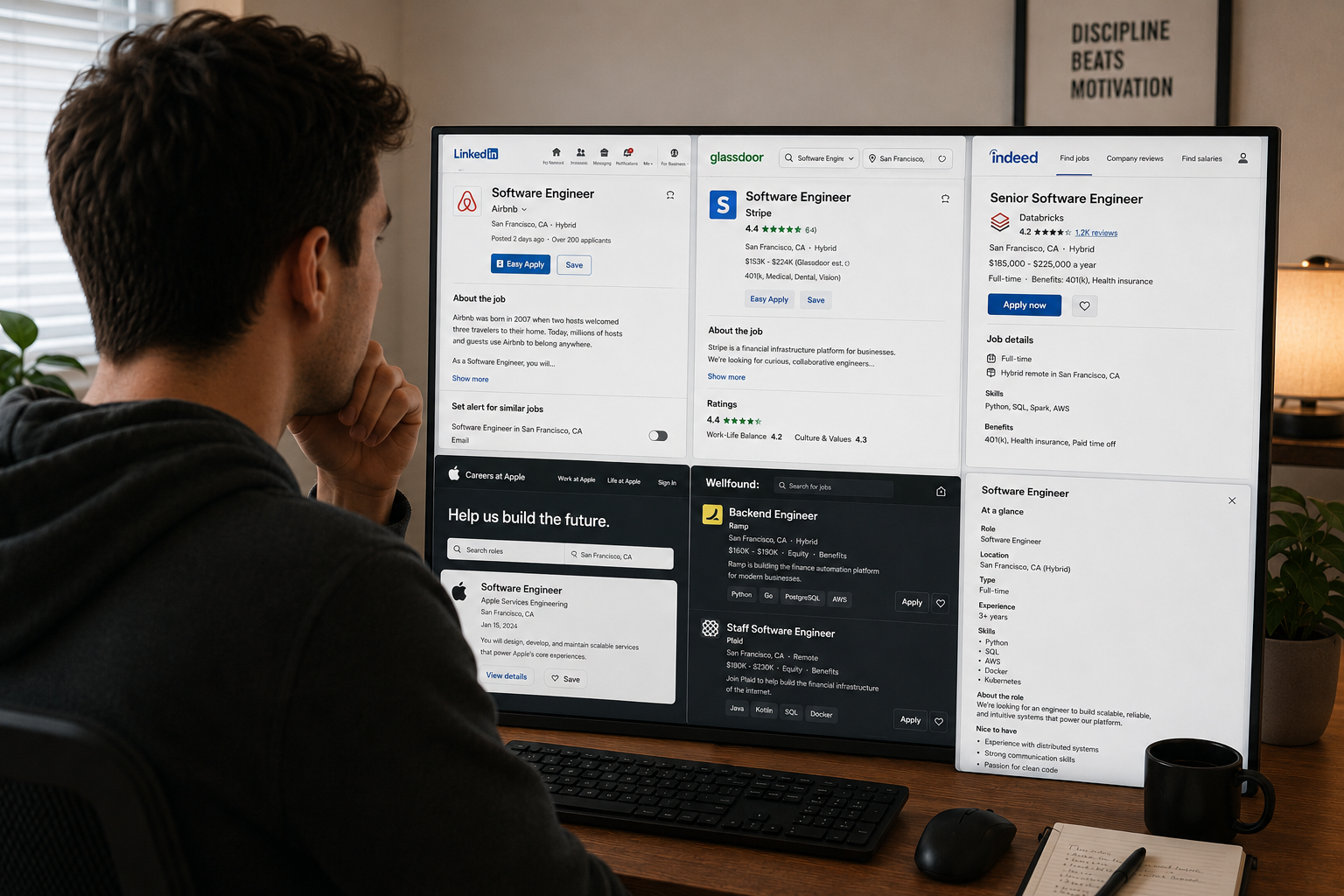
- Keeping track of jobs from across different platforms can be challenging
- Existing solutions were either too limited or required too much effort
- Hard to track progress and understand what is or isn’t working
User types

Active Job Seeker
Actively applying to roles. Needs way to manage applications, track status and understand progress

Passive Watcher
Keeping a pulse on the market and opportunities while employed. Needs way to track interesting roles or recruiter reach outs.
Questions they’re looking to answer
- What companies or roles did I already apply to?
- What is the status of the roles I applied to?
- How does traffic correlate to sales & revenue?
- What is the average wait or dwell time?
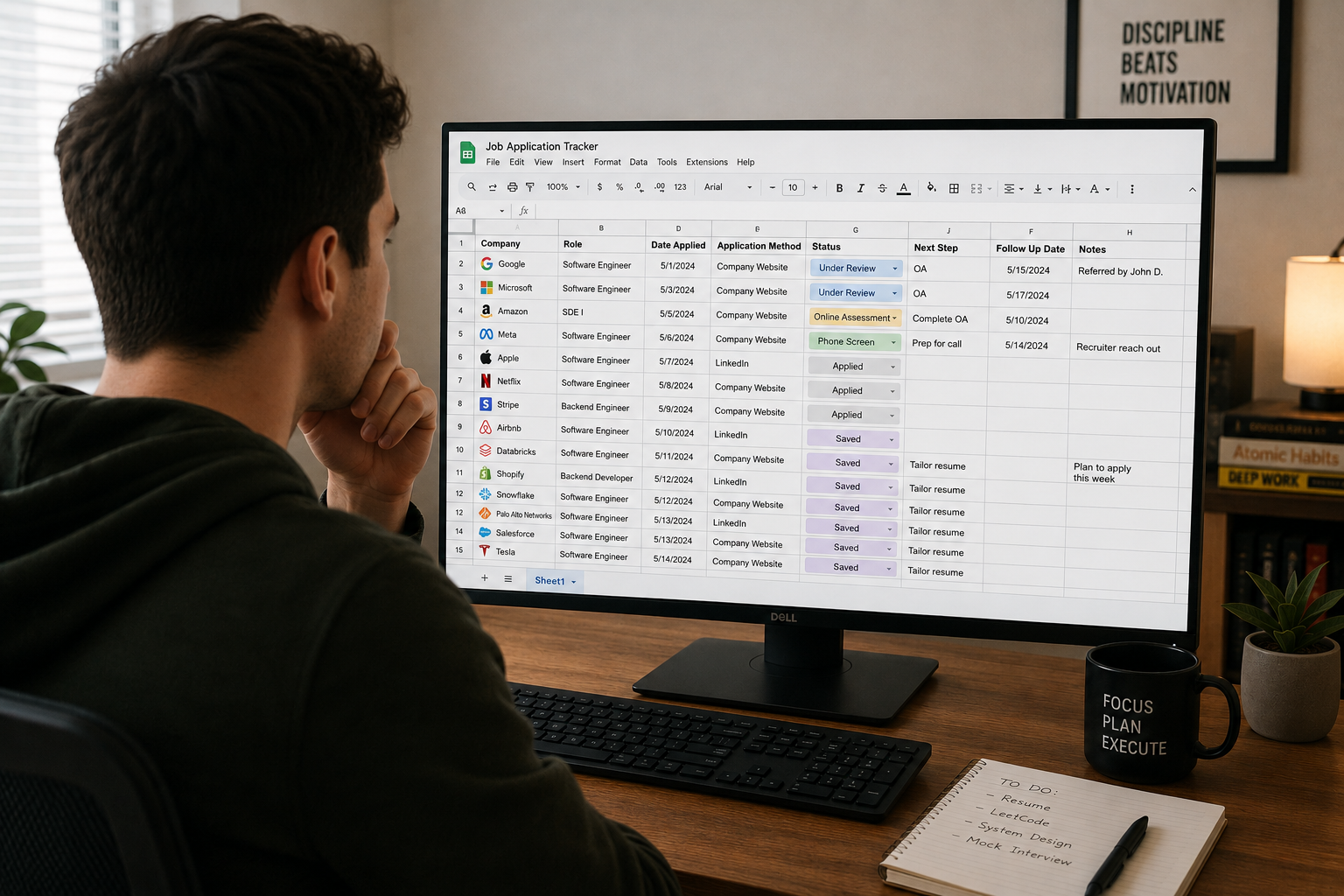
Problems with existing solutions
- Spreadsheets are difficult to search and maintain
- Trackers on job sites (e.g. LinkedIn) only track jobs from their platform
- Job tracker apps either provide limited functionality or flexibility
- What is the average wait or dwell time?
Goals
- Give job seekers a single place to manage their search across platforms
- Streamline the workflow for adding and managing applications
- Provide clear and actionable insights based on job search data
Defining the PRD
- Started with ChatPRD to help define the scope and requirements
- Defined the goals, core use cases and components
- What is the average wait or dwell time?
Building the MVP
- Used the PRD in Loveable to define structure and functionality
- Started with the core job tracker, then layered in analytics and account components
- Iterated and refined based on testing
Branding and refinement
- Migrated to Claude Code with Figma MCP to allow ability to transition between code & canvas
- Added branding, design system and landing page
- Iterated and refined end-to-end experience
- What is the average wait or dwell time?
Key decisions: Add job modal
Early versions had a standard form for inputing job details which was tedious and time consuming to complete
Added Import from URL feature using FireCrawl to auto-populate application details based on the job description
Key decisions: Interview stages
Interview stages were static in early versions which didn’t work well for roles with different interview processes
Added an Interview Stages Editor to enable customization for types of roles and interview processes
Final designs
Creating a new account
To build a fully functional product, there’s a lot of work that goes on behind the scenes. From setting up the signup and account management flows, to enabling analytics and customer support.
Adding a job in one click
By adding the feature to import job data from the job description URL, I was able to reduce the process from 10 steps to 1
Staying up to date
With a few clicks users can update the status for a job stay on top of jobs at different stages in the interview funnel
Knowing where you stand
Users can get a better understanding of their overall progress as well as insights like their response rate, where they may be stalling in the hiring funnel as well as salary trends.
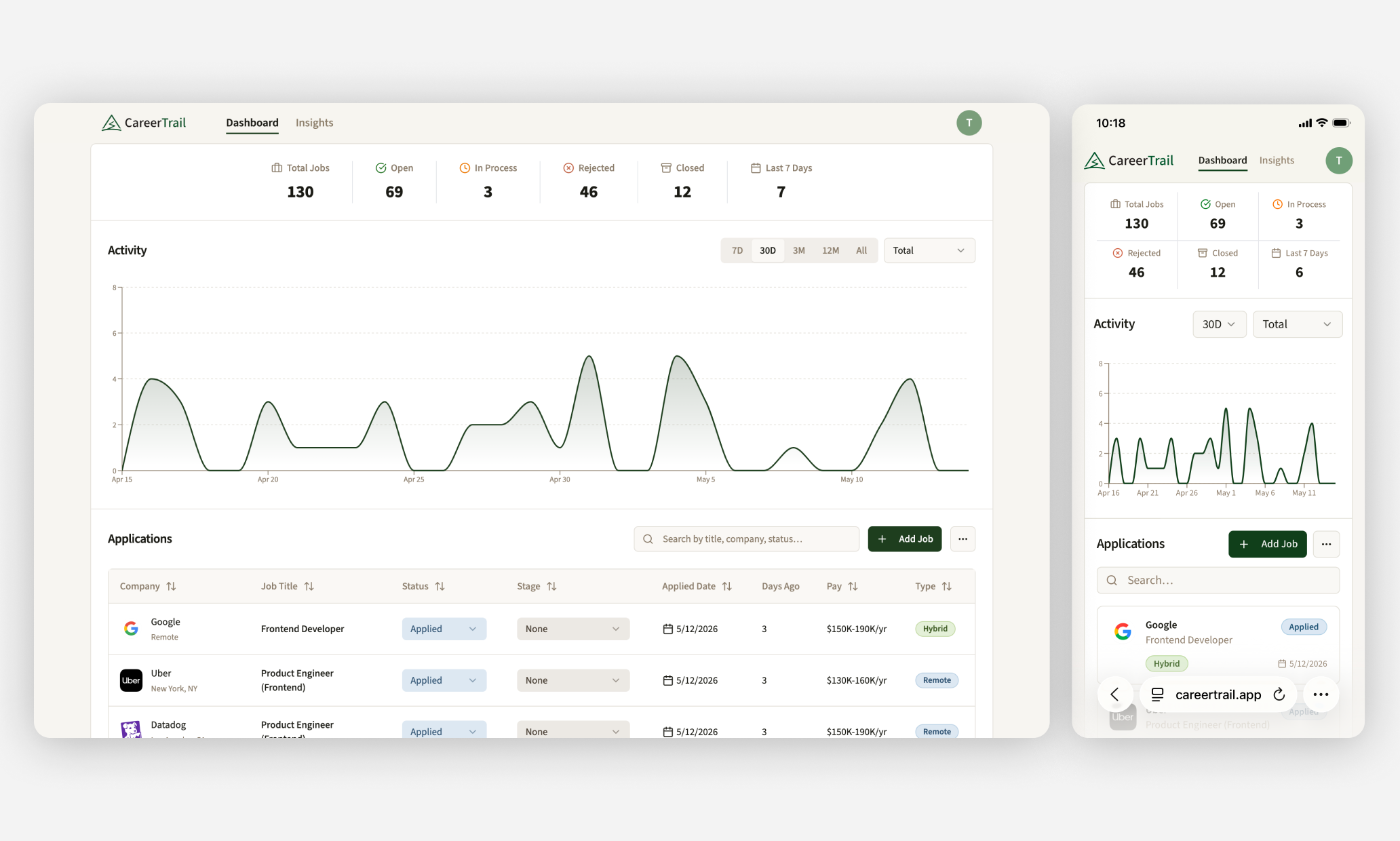
Managing your job search while on the go
I originally tried using our standard date picker component, however it was much more cumbersome for users to switch between date ranges so I proposed creating a new component that reduced the number of clicks and improved usablitity.
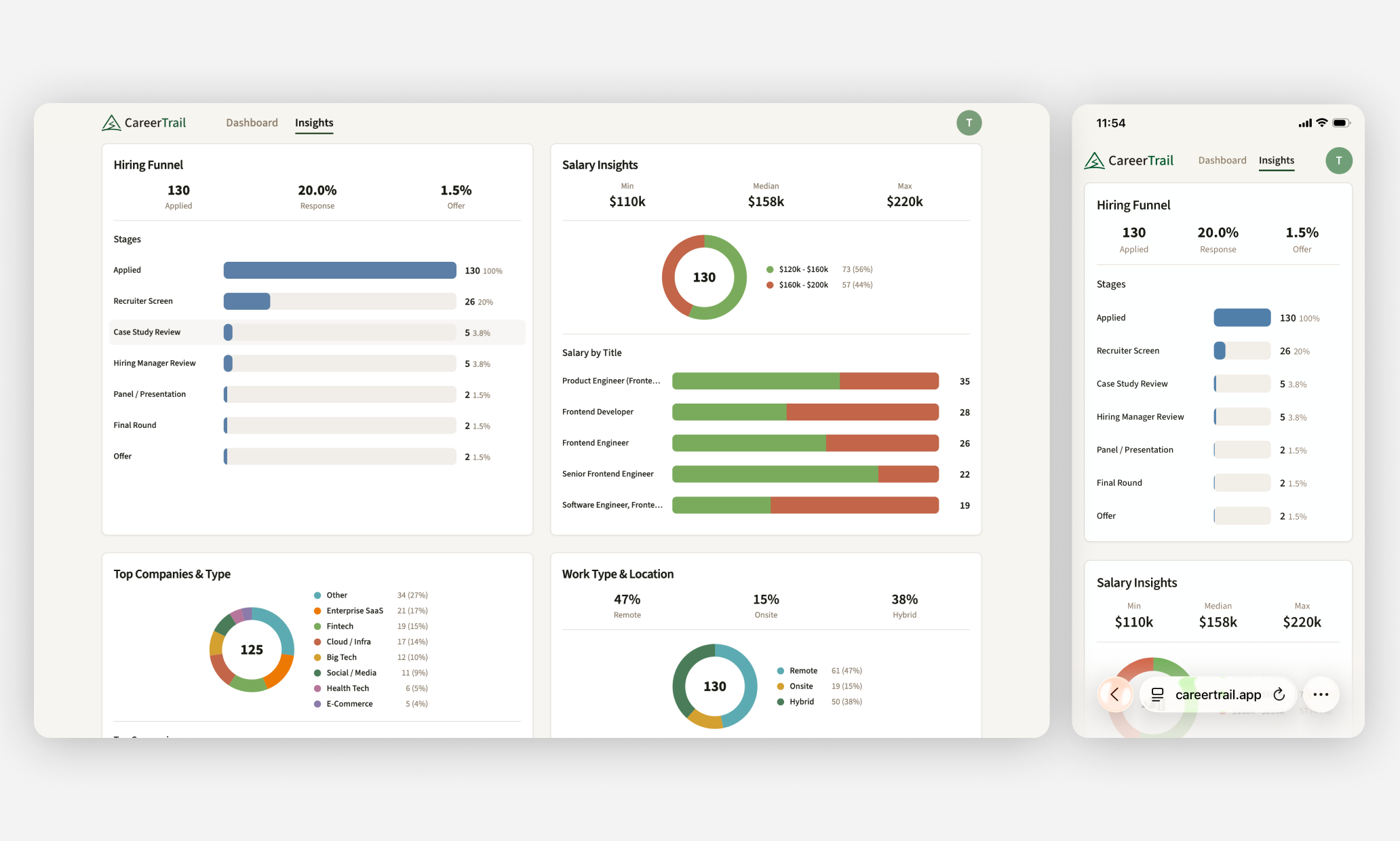
Gaining deeper insights from your journey
Understanding how you’re performing in the hiring funnel or salary trends for different roles, helps you make more informed decisions on where to optimize or adjust your approach.
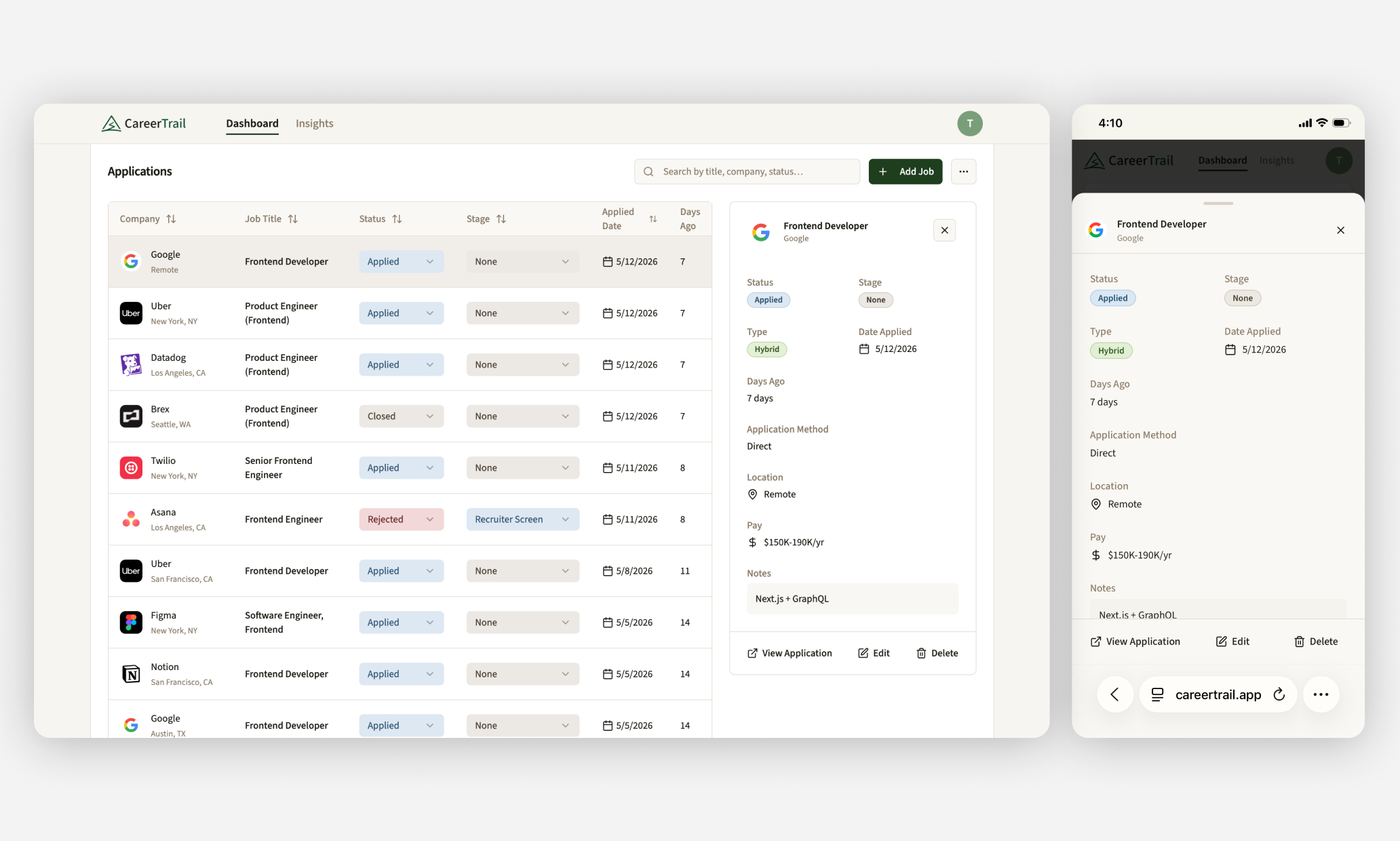
Staying on top of the details
The job detail view allows users to easily keep track of important details and add specific notes for each role
Challenges / learnings
For quality results, the last 20% requires 80% of the effort
AI design and coding tools can
deliver results fast, but the majority
of time is spent iterating and refining
A picture still is worth a thousand words
Incorporating sketches and screenshots in prompts led to better results than text alone
Know when to design in code vs. canvas
Code is faster for testing ideas, canvas is best for precision. Knowing when to use each is key to balancing speed & quality.

Back to all projects
Let’s build something great!
Whether it’s a new or existing product, I’d love to hear what you’re working on.
Get in touch
@ 2026 Michael Mueller. All Rights Reserved.


CareerTrail
Turning job search chaos into clarity
Company:
Solo product
Role:
Design, Strategy, Development
Timeline:
6 months
Overview
0-->1 product designed and built leveraging AI tools, that helps jobseekers manage applications and track progress with data driven insights. You can view the final product at: CareerTrail.app
Why I built this
- Experienced firsthand the challenges of managing a job search
- Opportunity to build my skills working with the latest AI design & coding tools
- Wanted to build a complete product from 0-->1
The problem
- Keeping track of jobs from across different platforms can be challenging
- Existing solutions were either too limited or required too much effort
- Hard to track progress and understand what is or isn’t working
User types
Active Job Seeker
Actively applying to roles. Needs way to manage applications, track status and understand progress
Passive Watcher
Keeping a pulse on the market and opportunities while employed. Needs way to track interesting roles or recruiter reach outs.
Questions they’re looking to answer
- What companies or roles did I already apply to?
- What is the status of the roles I applied to?
- What is my response rate and overall progress?
- What is the average wait or dwell time?
Problems with existing solutions
- Spreadsheets are difficult to search and maintain
- Trackers on job sites (e.g. LinkedIn) only track jobs from their platform
- Job tracker apps either provide limited functionality or flexibility
- What is the average wait or dwell time?
Goals
- Give job seekers a single place to manage their search across platforms
- Streamline the workflow for adding and managing applications
- Provide clear and actionable insights based on job search data
Defining the PRD
- Started with ChatPRD to help define the scope and requirements
- Defined the goals, core use cases and components
- What is the average wait or dwell time?
Building the MVP
- Used the PRD in Loveable to define structure and functionality
- Started with the core job tracker, then layered in analytics and account components
- Iterated and refined based on testing
Branding and refinement
- Migrated to Claude Code with Figma MCP to allow ability to transition between code & canvas
- Added branding, design system and landing page
- Iterated and refined end-to-end experience
- What is the average wait or dwell time?
Key decisions: Add job modal
Early versions had a standard form for inputing job details which was tedious and time consuming to complete
Added Import from URL feature using FireCrawl to auto-populate application details based on the job description
Key decisions: Interview stages
Interview stages were static in early versions which didn’t work well for roles with different interview processes
Added an Interview Stages Editor to enable customization for types of roles and interview processes
Final designs
Creating a new account
To build a fully functional product, there’s a lot of work that goes on behind the scenes. From setting up the signup and account management flows, to enabling analytics and customer support.
Adding a job in one click
By adding the feature to import job data from the job description URL, I was able to reduce the process from 10 steps to 1
Staying up to date
With a few clicks users can update the status for a job stay on top of jobs at different stages in the interview funnel
Knowing where you stand
Users can get a better understanding of their overall progress as well as insights like their response rate, where they may be stalling in the hiring funnel as well as salary trends.
Managing your job search while on the go
I originally tried using our standard date picker component, however it was much more cumbersome for users to switch between date ranges so I proposed creating a new component that reduced the number of clicks and improved usablitity.
Gaining deeper insights from your journey
Understanding how you’re performing in the hiring funnel or salary trends for different roles, helps you make more informed decisions on where to optimize or adjust your approach.
Staying on top of the details
The job detail view allows users to easily keep track of important details and add specific notes for each role
Challenges / learnings
For quality results, the last 20% requires 80% of the effort
AI design and coding tools can
deliver results fast, but the majority
of time is spent iterating and refining
A picture still is worth a thousand words
Incorporating sketches and screenshots in prompts led to better results than text alone
Know when to design in code vs. canvas
Code is faster for testing ideas, canvas is best for precision. Knowing when to use each is key to balancing speed & quality.
Back to all projects
Let’s build something great!
Whether it’s a new or existing product, I’d love to hear what you’re working on.
Get in touch
@ 2026 Michael Mueller. All Rights Reserved.
CareerTrail
Turning job search chaos into clarity
Company:
Solo product
Role:
Design, Strategy, Development
Timeline:
6 months
Overview
0-->1 product designed and built leveraging AI tools, that helps jobseekers manage applications and track progress with data driven insights. You can view the final product at: CareerTrail.app
Why I built this
- Experienced firsthand the challenges of managing a job search
- Opportunity to build my skills working with the latest AI design & coding tools
- Wanted to build a complete product from 0-->1
The problem
- Keeping track of jobs from across different platforms can be challenging
- Existing solutions were either too limited or required too much effort
- Hard to track progress and understand what is or isn’t working
User types
Active Job Seeker
Actively applying to roles. Needs way to manage applications, track status and understand progress
Passive Watcher
Keeping a pulse on the market and opportunities while employed. Needs way to track interesting roles or recruiter reach outs.
Questions they’re looking to answer
- What companies or roles did I already apply to?
- What is the status of the roles I applied to?
- What is my response rate and overall progress?
- What are the salary ranges for different role types?
Problems with existing solutions
- Spreadsheets are difficult to search and maintain
- Trackers on job sites (e.g. LinkedIn) only track jobs from their platform
- Job tracker apps either provide limited functionality or flexibility
- Most solutions lack clear overview of progress or actionable insights
Goals
- Give job seekers a single place to manage their search across platforms
- Streamline the workflow for adding and managing applications
- Provide clear and actionable insights based on job search data
Defining the PRD
- Started with ChatPRD to help define the scope and requirements
- Defined the goals, core use cases and components
Building the MVP
- Used the PRD in Loveable to define structure and functionality
- Started with the core job tracker, then layered in analytics and account components
- Iterated and refined based on testing
Branding and refinement
- Migrated to Claude Code with Figma MCP to allow ability to transition between code & canvas
- Added branding, design system and landing page
- Iterated and refined end-to-end experience
Key decisions: Add job modal
Early versions had a standard form for inputing job details which was tedious and time consuming to complete
Added Import from URL feature using FireCrawl to auto-populate application details based on the job description
Key decisions: Interview stages
Interview stages were static in early versions which didn’t work well for roles with different interview processes
Added an Interview Stages Editor to enable customization for types of roles and interview processes
Final designs
Creating a new account
To build a fully functional product, there’s a lot of work that goes on behind the scenes. From setting up the signup and account management flows, to enabling analytics and customer support.
Adding a job in one click
By adding the feature to import job data from the job description URL, I was able to reduce the process from 10 steps to 1
Staying up to date
With a few clicks users can update the status for a job stay on top of jobs at different stages in the interview funnel
Knowing where you stand
Users can get a better understanding of their overall progress as well as insights like their response rate, where they may be stalling in the hiring funnel as well as salary trends.
Managing your job search while on the go
Creating a seamless cross-device experience allows job seekers to stay up to date, update progress and add new jobs while away from their desk.
Gaining deeper insights from your journey
Understanding how you’re performing in the hiring funnel or salary trends for different roles, helps you make more informed decisions on where to optimize or adjust your approach.
Staying on top of the details
The job detail view allows users to easily keep track of important details and add specific notes for each role
Challenges / learnings
For quality results, the last 20% requires 80% of the effort
AI design and coding tools can
deliver results fast, but the majority
of time is spent iterating and refining
A picture still is worth a thousand words
Incorporating sketches and screenshots in prompts led to better results than text alone
Know when to design in code vs. canvas
Code is faster for testing ideas, canvas is best for precision. Knowing when to use each is key to balancing speed & quality.
Back to all projects
Let’s build something great!
Whether it’s a new or existing product, I’d love to hear what you’re working on.
Get in touch
@ 2026 Michael Mueller. All Rights Reserved.